Your Google Drive becomes a
stunning gallery.
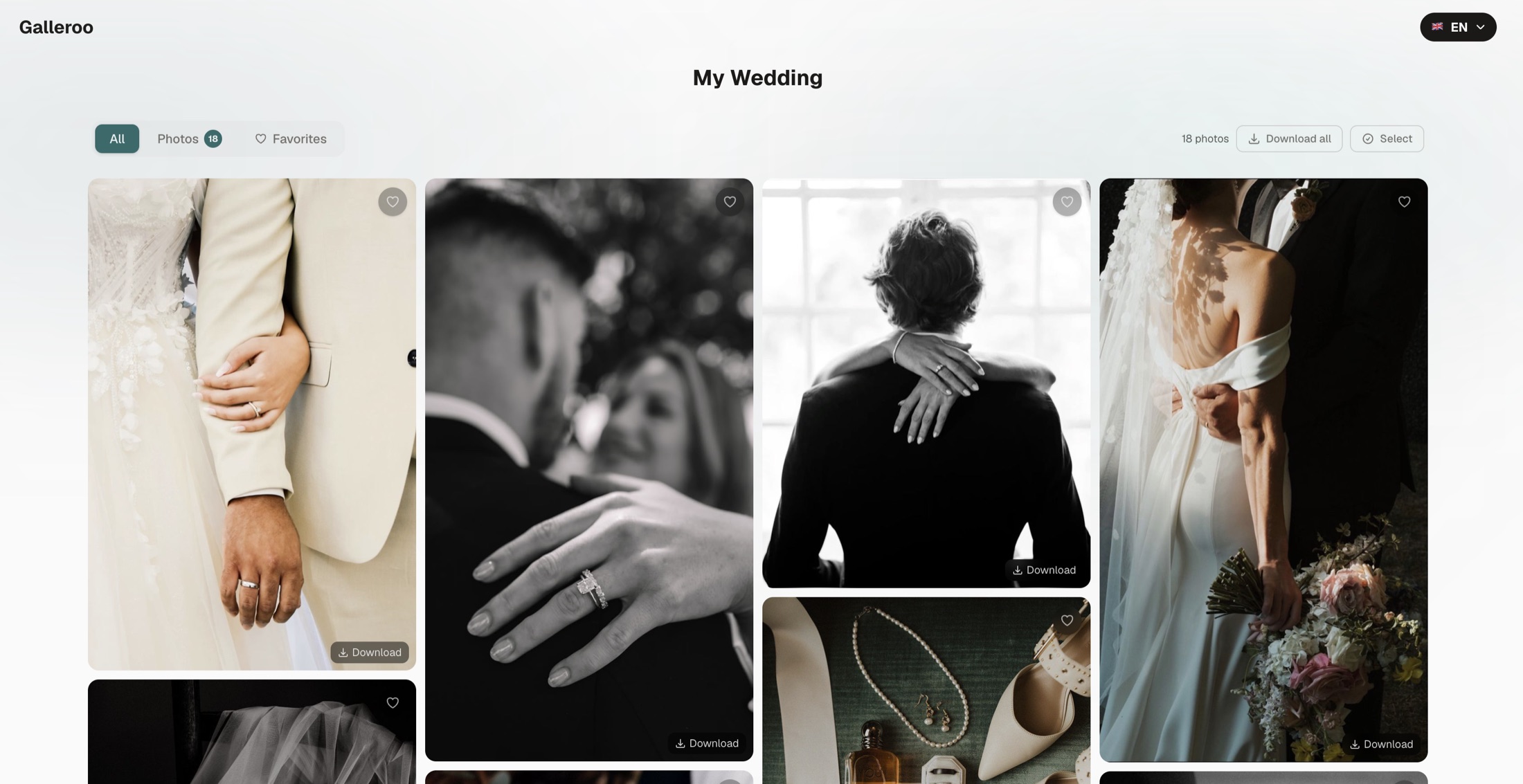
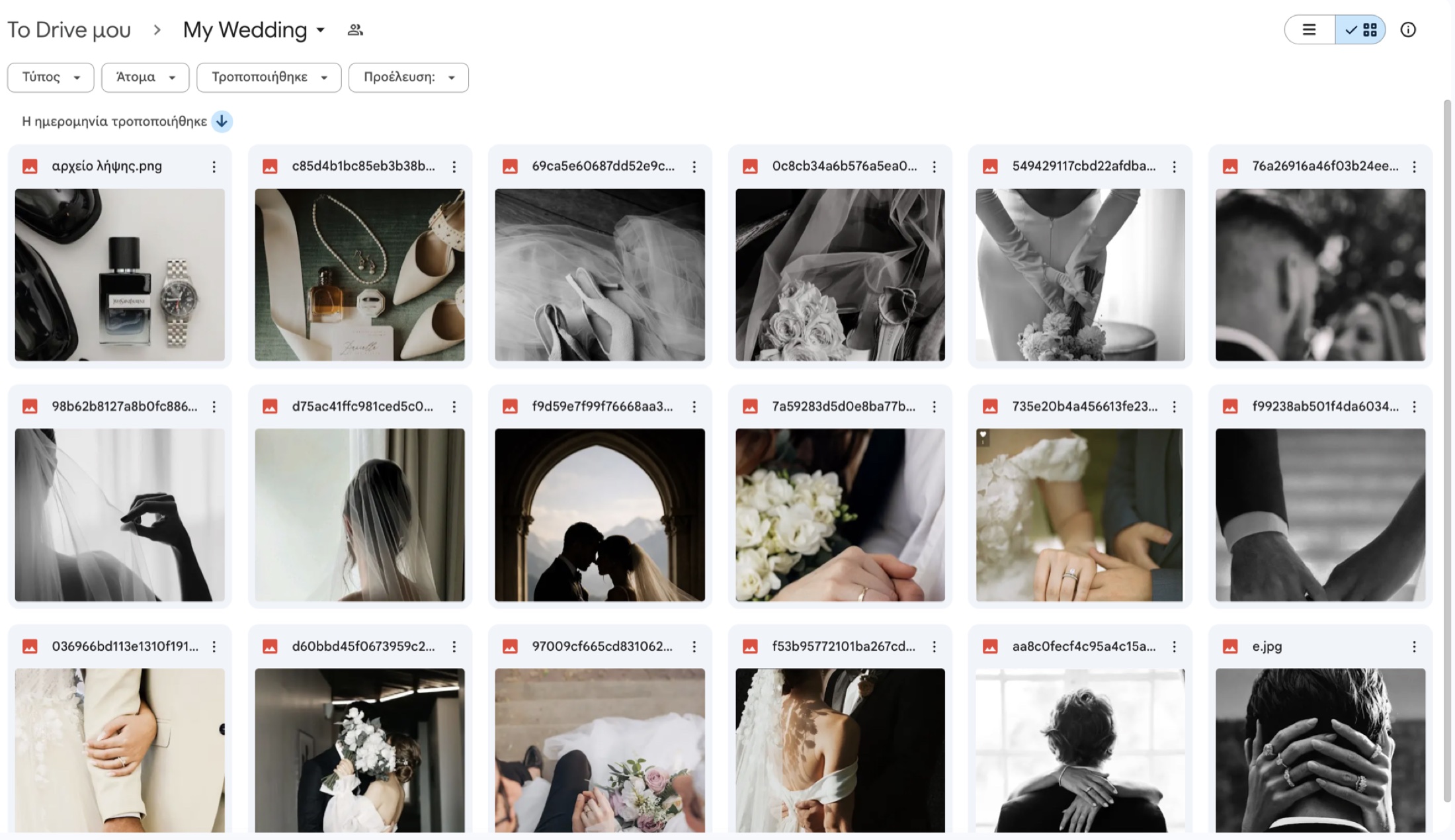
Google Drive wasn't built to impress clients. Galleroo was. It turns your folder of photos & videos into a stunning gallery in less than 60 seconds.
See an example gallerySlide to compare.
Try it
See what your gallery will look like.
Paste a Google Drive link and see the result in seconds.
Make sure your folder is set to "Anyone with the link".
Tutorial
See Galleroo in action.
What is Galleroo
The gallery your work deserves.
Galleroo turns a Google Drive folder into a professional photo and video gallery, no re-upload, no technical skills, in less than 60 seconds.
If you're a professional photographer, you know the feeling. You just finished a shoot, the photos are ready and you need to send them to your client. You share a Google Drive or WeTransfer link, handy for transferring files, but your client sees an awkward list of files, often gets confused, and in the end the experience doesn't reflect the quality of your work at all.
We built Galleroo because we believe a photographer's work deserves to be presented beautifully. With one click, the same Google Drive folder becomes a stunning, professional gallery that impresses your client.
No re-upload
Your photos stay in your Drive. Nothing gets uploaded again.
In 60 seconds
From a Drive folder to a professional gallery in just a few clicks.
Unforgettable experience
Your client sees a gallery that reflects the quality of your work.
How it works
Four steps. One minute.
No need to upload anything again. You use the Google Drive you already have.
Upload your photos & videos to Google Drive
Create a folder in your Google Drive and add your client's photos and videos, exactly as you already do.
Make the folder public
In Google Drive, right-click the folder → "Share" → "Anyone with the link". That's it.
Create the gallery in Galleroo
Go to the dashboard, click "New Gallery", enter a title (e.g. "Maria & Nikos Wedding"), paste the Google Drive folder link, and optionally set a password for extra security.
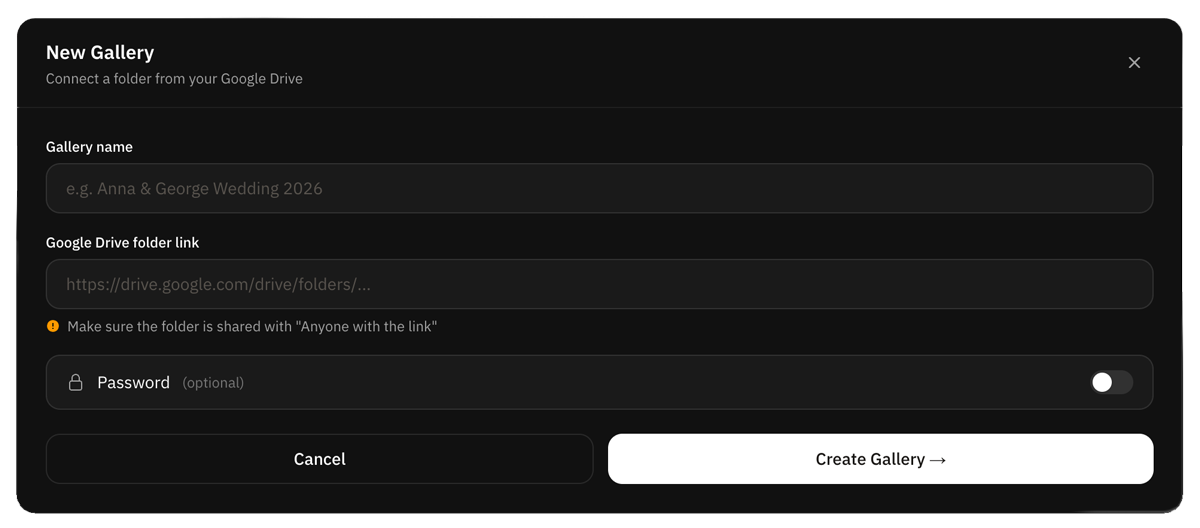
Send the link to your client
A unique link is automatically created (e.g. https://galleroo.eu/gallery/674282056). Send it to your client and they see a stunning, professional gallery, without ever knowing the photos are on Google Drive.
Features
Everything your client needs.
Photo & Video Gallery
Photos and videos in a beautiful grid. Perfect on mobile and desktop.
Full Screen View
One click opens full screen. Navigate with arrows or keyboard. Thumbnails at the bottom.
Live sync with Drive
Any change in your Drive folder updates the gallery automatically. Add or remove photos without ever resending a link to your client.
Password Protection
Each gallery has its own password. Only the client who knows it can view the photos.
Full resolution download
Your client downloads photos in full resolution. No compression.
Your links on the gallery
Add your Website, Instagram & Facebook. Clients reach you with one click, right from the gallery.
Why Galleroo
Built for professional photographers
Your data stays safe
We don't store your photos. They live in your own Google Drive.
No account for your client
No sign-up, no app. They just open your link, from any device.
The link stays live
Your client can revisit the gallery whenever they want. It doesn't expire on its own.
One-time, no lock-in
One payment per year. No hidden or automatic charges.
Pricing
Annual subscription.
License
Annual subscription
One-time payment · no auto-renewal
- Unlimited galleries
- Unlimited photos & videos
- Password per gallery
- No client account needed
- Client favorites
- Full resolution download
- Photos stay in your Drive
Your first gallery
in 60 seconds.
No complicated setup. Just connect your Drive and you're ready.
Get access